
Can I upgrade my existing Plan?Updated 2 months ago
If you already have a Foundation Plan, you are able to upgrade to the Advanced Plan.
You can do this through your account from the Bullet Journal website (NOT through Bujo U).
1. On the Bullet Journal website, you'll see an account icon in the upper right (left of the shopping bag). Log in with the same account you used to purchase the Plan.

2. Once logged in, click on "Membership Management" at the top.
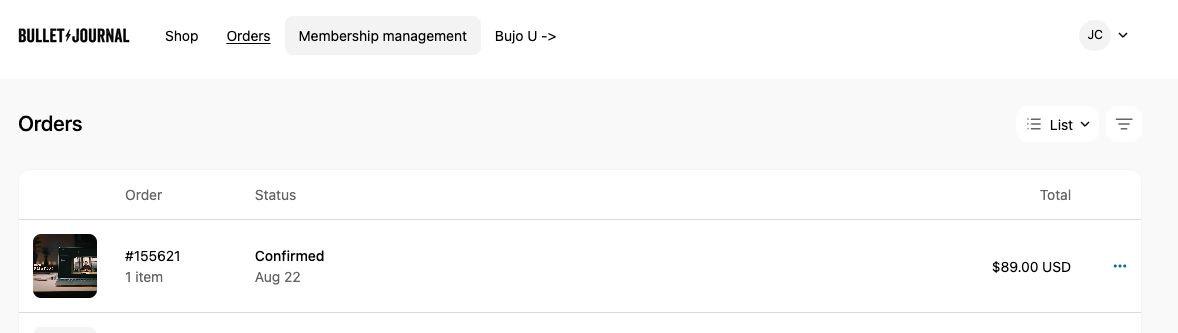
3. You'll see your existing Plan in this portal. Click it for more information.
If you don't see your membership here but you have Plan Access in Bujo U, reach out to us at support [at] bulletjournal.com to get the appropriate purchase link for your new plan.
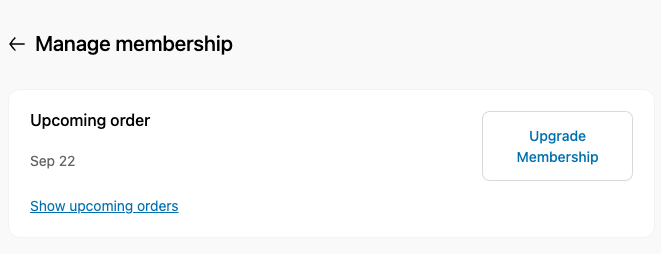
Please note that only Upgrades are self-service. Each Plan is a 12-month contract, and you'll be able to select a lower-tier Plan option or cancel at the end of the 12-months.
4. Clicking the Upgrade Membership button will show you your options. Select the Plan you want to upgrade to, confirming Annual One-Time vs Monthly-Installment options. The amount you have paid toward your previous plan will be applied to the new one. When relevant, there will be a coupon code box available.
Note: The Certified Trainers Renewal is only for those who have completed the Certification Plan. We are not taking new applicants for this program.
5. Upon purchase, will receive an email with the confirmation of your order. Inside, you'll be able to activate your new Plan. Even though you are an existing member, you'll still need to Activate it (ideally, on a computer) before you will see your new Spaces.